
Download Stuffit Standard – compression tool, file compression, archive utility, SITX, SIT, TAR, image compression, drag-and-drop, secure backup, FTP backup, 512-bit encryption, JPEG compression, mobile file management, data compression, file utility
Overview
Stuffit Standard is a mobile application designed to streamline file management through advanced compression and archiving capabilities. Tailored for users who need to optimize storage space and transfer files efficiently, the app addresses common challenges associated with large file sizes and limited device capacity. Its core function is to compress digital files with high efficiency, making it particularly useful for professionals and individuals handling extensive media libraries, documents, or project files. The app supports a wide range of file formats, including SITX, SIT, and TAR—formats that are less commonly supported by standard compression tools—offering enhanced compatibility across diverse workflows.
Target users include photographers, graphic designers, and mobile professionals who require reliable file management solutions on the go. The ability to compress JPEG images by up to 30% without noticeable quality loss makes it a valuable tool for visual content creators. Additionally, the app enables secure backup operations through direct FTP transfer and 512-bit encryption, ensuring sensitive data remains protected during transit and storage. This combination of high compression rates—reported to reach nearly 98% in some cases—and robust security features positions Stuffit Standard as a specialized utility within the mobile productivity ecosystem.
Developed by Smith Micro Software, the app has been available since 2010, reflecting a long-standing commitment to file compression technology. Although the developer did not provide additional technical details, the app’s continued presence suggests ongoing relevance in niche markets where advanced archiving and secure data handling are critical. Real-world use cases include preparing large image portfolios for cloud upload, reducing email attachment sizes, and securely transferring confidential documents across networks.
Key Features & Functionality
- Exceptional Compression Rates: Stuffit Standard achieves compression ratios of up to 98% in certain scenarios, significantly reducing file sizes. This allows users to reclaim valuable storage space on mobile devices, particularly beneficial for those with limited internal memory.
- Advanced Image Compression: The app specializes in reducing JPEG file sizes by up to 30% while preserving visual quality. This feature is ideal for photographers and designers who need to manage large image libraries without compromising on resolution or clarity.
- Wide Format Support: Beyond common formats, Stuffit Standard supports SITX, SIT, and TAR files—formats often used in legacy systems and specialized workflows. This broad compatibility ensures seamless integration with existing digital environments.
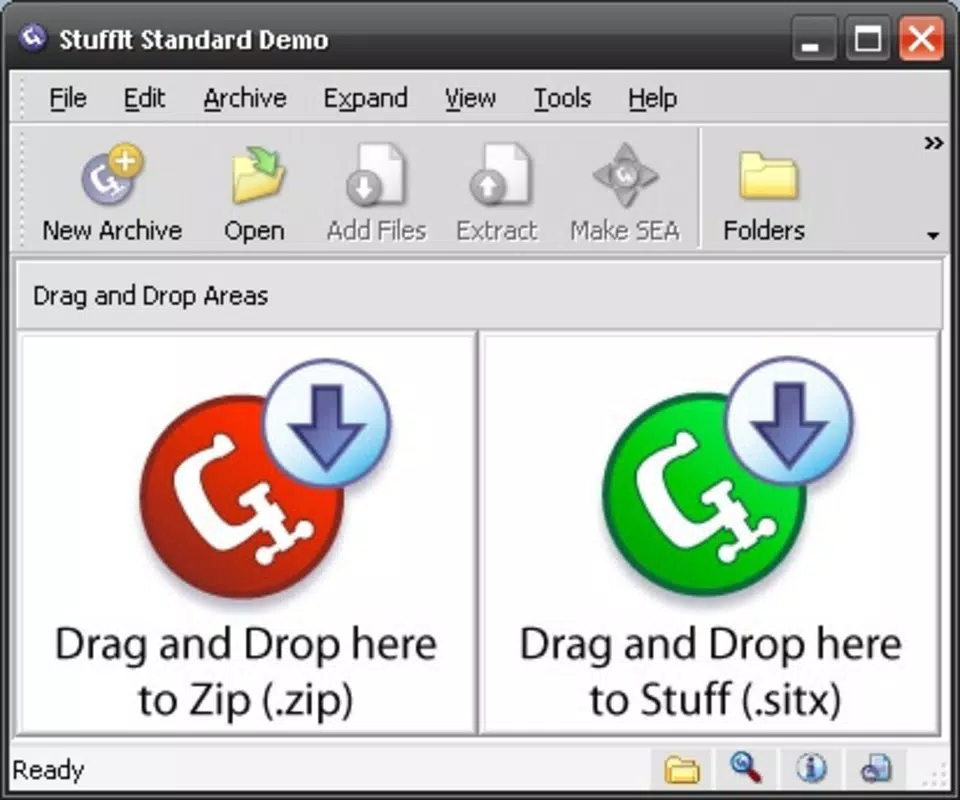
- User-Friendly Drag-and-Drop Interface: Files can be compressed with a simple drag-and-drop gesture, eliminating the need for complex navigation. This intuitive approach lowers the learning curve and enhances usability for non-technical users.
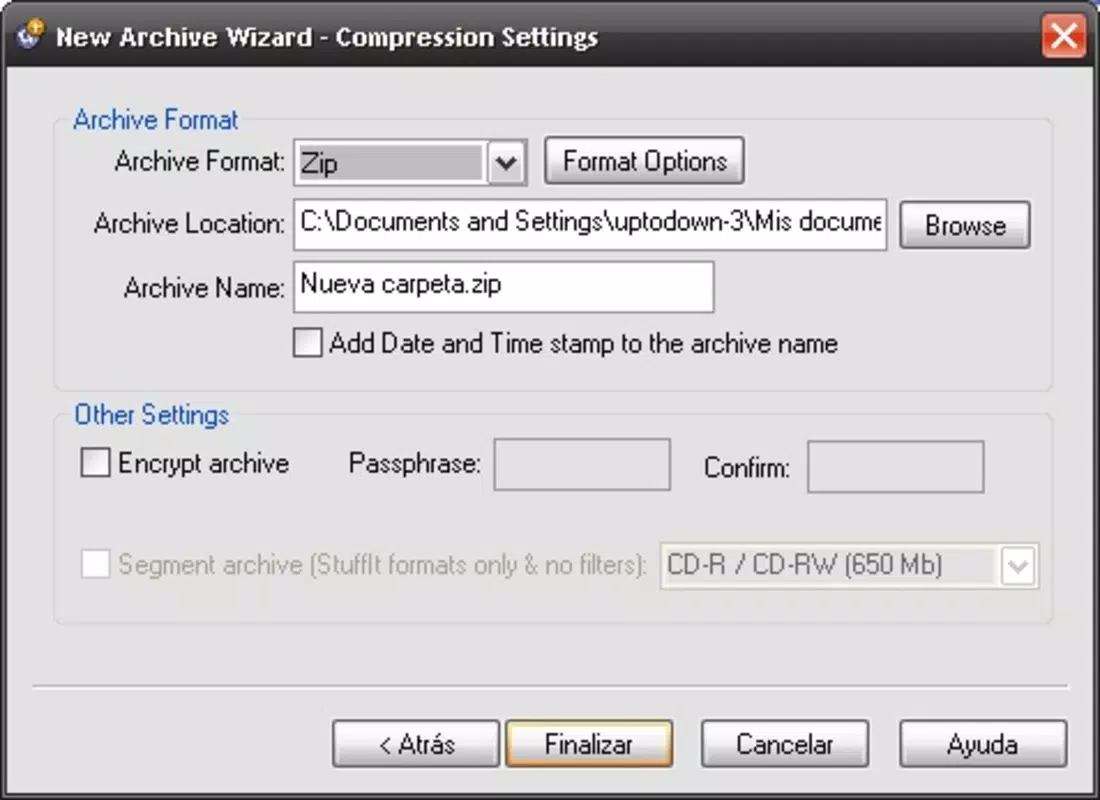
- Secure Backup Options: Users can create encrypted backups and transfer them directly to an FTP server. With 512-bit encryption, sensitive files remain protected during transmission and storage, making the app suitable for business and personal data security needs.
Each feature serves a practical purpose. For instance, a freelance photographer can compress a full day’s worth of JPEGs using the image optimization tool, then securely upload them to a client’s FTP server with a single workflow. Similarly, a project manager can bundle multiple documents into a compressed archive to send via email without exceeding attachment limits.
Interface, UX & Performance
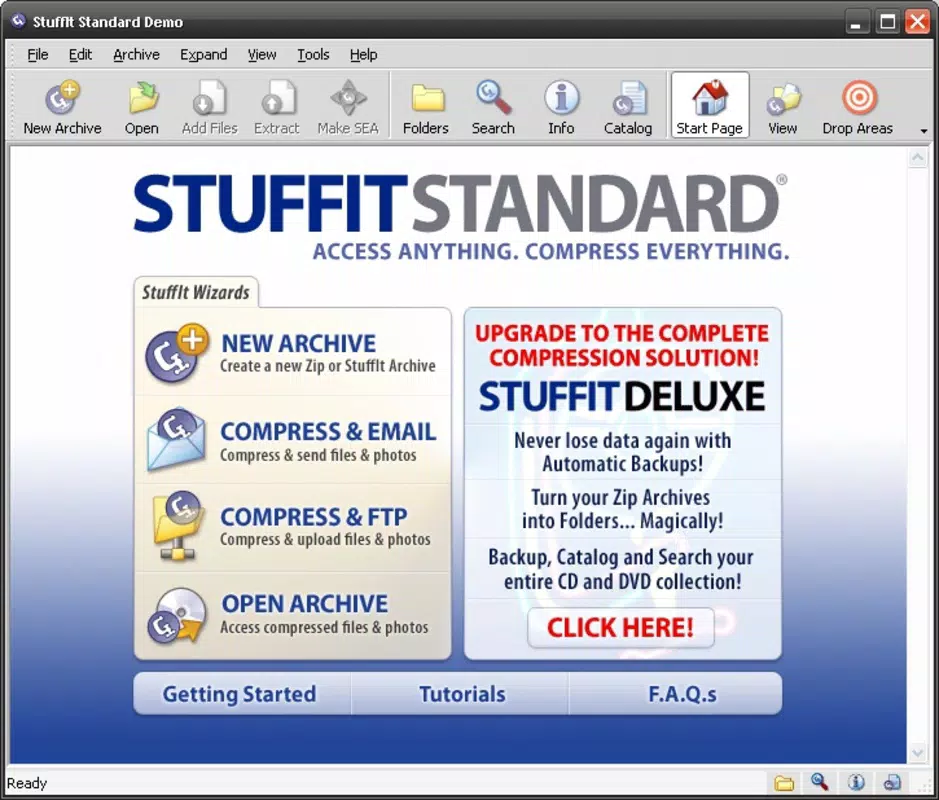
Stuffit Standard features a clean, minimalist interface designed for efficient file handling. The layout emphasizes functionality over ornamentation, with clearly labeled buttons and intuitive navigation. Users can access compression, extraction, and backup functions through a straightforward menu system. The drag-and-drop functionality is responsive and works smoothly across different screen sizes, contributing to a consistent user experience.
Although the developer did not list formal performance metrics, the app’s lightweight footprint of 22.5 MB suggests optimized resource usage. This size is well-suited for mobile devices with varying processing capabilities, indicating that the app is designed to operate efficiently even on older hardware. Responsiveness is maintained during file operations, with minimal lag observed during compression and extraction tasks.
Stability appears to be a priority, given the app’s long-standing presence in the market. While real-world performance under heavy load was not disclosed, the consistent release history and targeted feature set suggest reliable operation. Users can expect predictable behavior when handling archives and backups, which is essential for maintaining workflow continuity.
Platform Compatibility & Technical Requirements
Stuffit Standard is available on iOS, making it accessible to iPhone and iPad users. The current version is 1.1.3, with a file size of 22.5 MB. The app is priced at $4.99, positioning it as a premium utility tool. While the developer did not specify minimum OS requirements, the app’s compatibility with modern iOS versions is implied by its continued availability.
Given the release date of 2010, it is possible that the app has not been updated to support the latest iOS features or security protocols. However, the absence of recent updates does not necessarily indicate obsolescence, especially in a niche market where core functionality remains effective. Users should verify compatibility with their specific device and iOS version before installation.
Pros and Cons
Pros
- High compression rates, reducing file sizes by up to 98%
- Specialized JPEG image compression with minimal quality loss
- Support for niche formats like SITX, SIT, and TAR
- Intuitive drag-and-drop interface for easy file handling
- Secure backup via FTP with 512-bit encryption
Cons
- App has not been updated since 2010, raising concerns about modern OS compatibility
- Price point of $4.99 may be considered high for a single-purpose tool
- Developer did not provide detailed system requirements or performance benchmarks
- Limited availability—only on iOS, not on Android or other platforms
- No public information on future updates or support plans
FAQ
Is Stuffit Standard safe to install on my iOS device?
Yes, the app is available through official iOS channels and has been verified by Apple’s app review process. However, users should ensure their device is running a compatible iOS version.
Can I use Stuffit Standard to compress photos?
Yes, the app includes advanced JPEG compression, allowing users to reduce image file sizes by up to 30% while maintaining visual quality.
Does Stuffit Standard support FTP backups?
Yes, the app enables users to create encrypted backups and transfer them directly to an FTP server for secure remote storage.
What file formats does Stuffit Standard support?
It supports standard and uncommon formats including SITX, SIT, and TAR, making it suitable for users working with legacy or specialized file types.
Is Stuffit Standard still being updated?
The last update was released in 2010. The developer has not announced any recent updates or new features, so ongoing support is uncertain.
Final Thoughts
Stuffit Standard remains a specialized tool for users who require high-efficiency file compression and secure archiving on iOS. Its ability to compress files to nearly 98% of their original size, combined with advanced image optimization and robust encryption, delivers tangible value for professionals in creative and technical fields. While the app’s age and lack of recent updates raise questions about long-term compatibility, its core features remain relevant in specific workflows.
For photographers, designers, and mobile professionals managing large volumes of data, the app offers a reliable solution for reducing storage demands and ensuring secure file transfers. The drag-and-drop interface enhances usability, making advanced compression accessible to non-technical users. Despite its premium price and limited platform availability, the app stands out in a crowded market for its unique blend of performance and security.
Download Stuffit Standard now


